- The ticket/deal is submitted by the Account Manager. The handover form will normally include the NBN address, and the Proof of Occupancy (POD) should be attached if available.
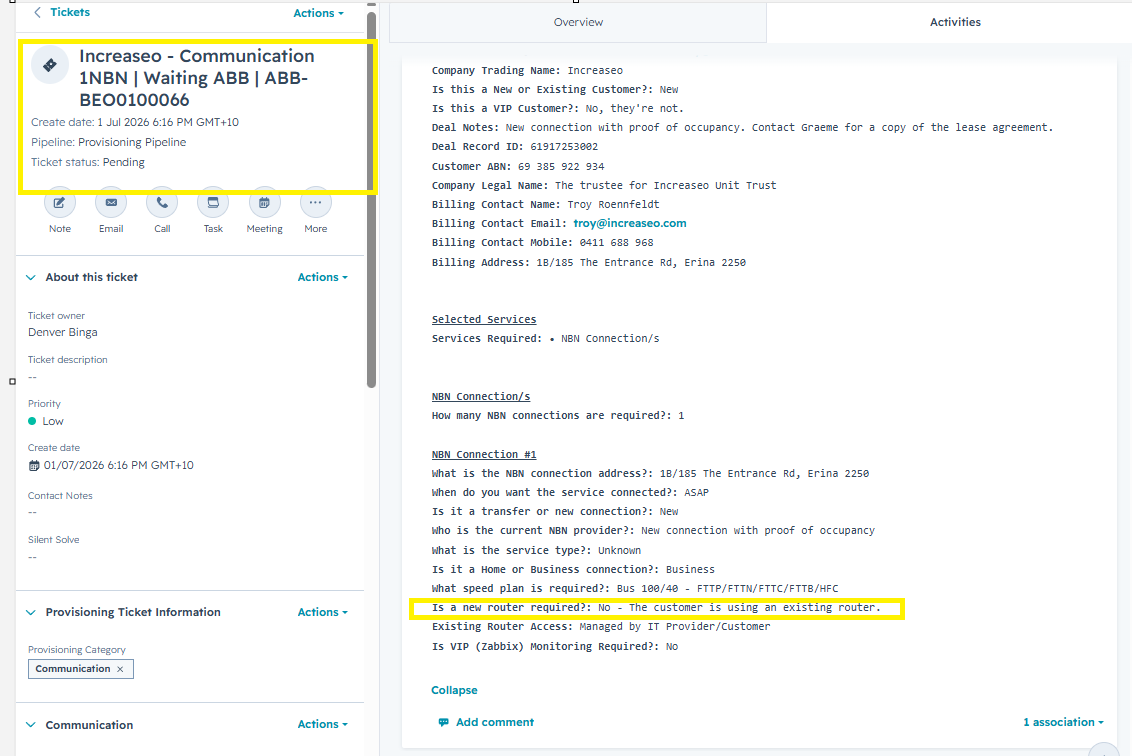
- Before submitting the request, verify the NBN address in both Carbon (Test Account) and the NBN website to ensure it is correct.
- Ensure the Proof of Occupancy (POD) or Lease Agreement is signed by the end user.
-
Submit the Local ID request via the HubSpot NBN ticket by emailing:
wholesale.provisioning@beo.aussiebroadband.com.au
Please ensure the email is sent from:
orders@centraltelecoms.com.auSubject Title format:
Increase | Create LOC ID – 1B/185 The Entrance Rd, Erina NSW 2250
Company Name > Create LOC ID > Address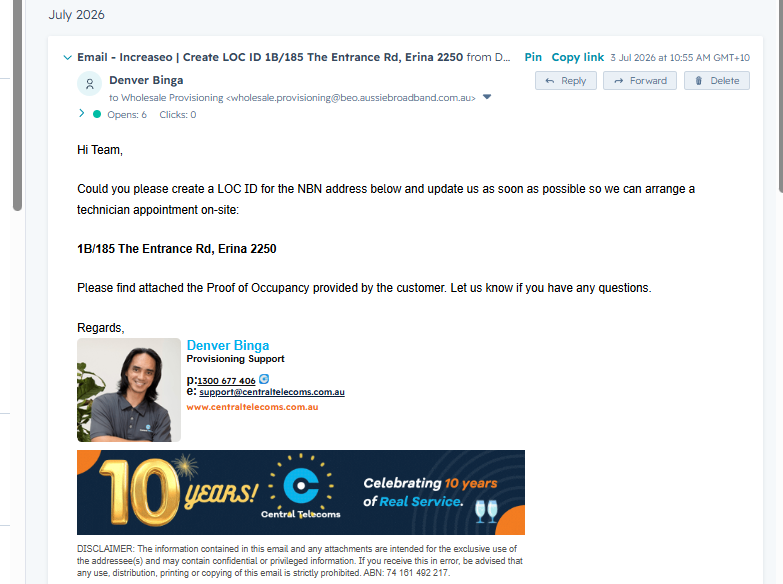
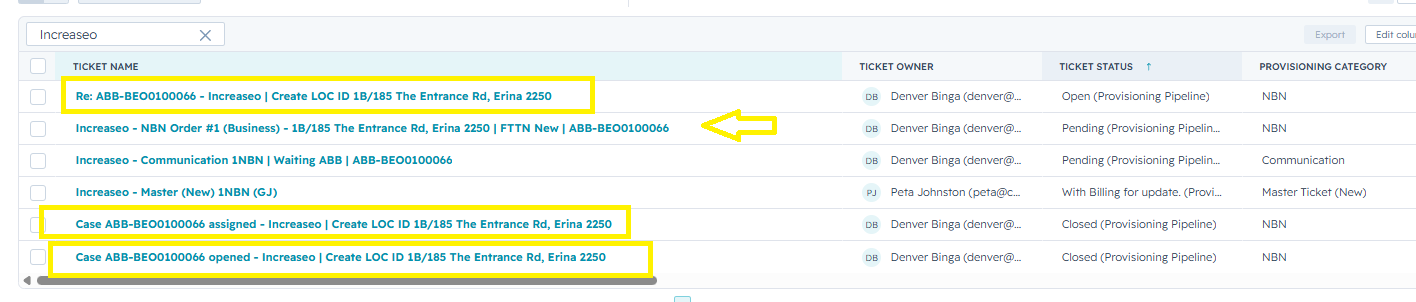
- Once submitted, you will receive an ABB ticket number. Update the HubSpot ticket subject to include the ABB ticket number for easier tracking. All email responses can be associated and merged into the relevant NBN or Comms ticket to keep all correspondence in one place.
- Follow up with ABB after 2–3 business days if there has been no update. Continue to keep the customer informed until the Local ID has been created.