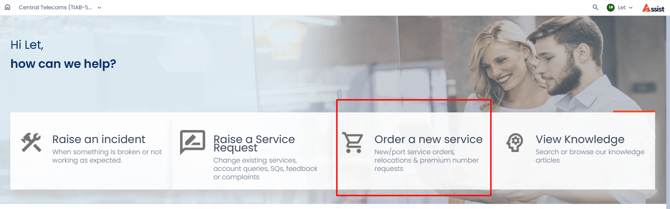
- In the assist portal, choose 'Order a new service'.
- Fill out the 'Standard Order a New Service form.
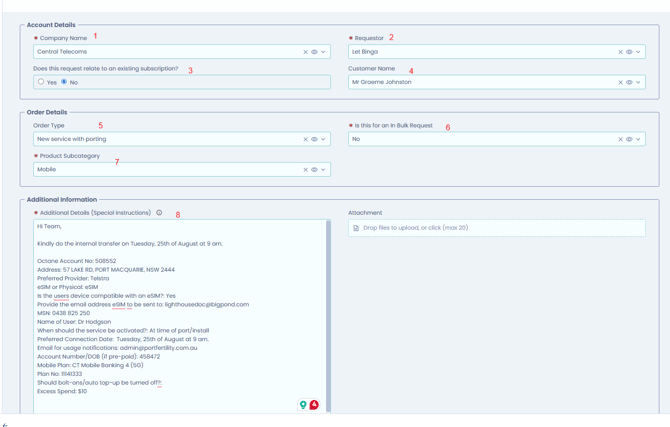
-
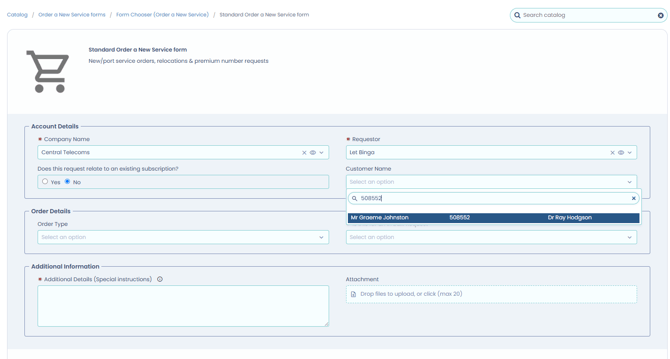
- Company Name: Central Telecoms
- Requester: Your Name
- Does this request relate to an existing subscription? No
- Customer Name: Type the Octane account number
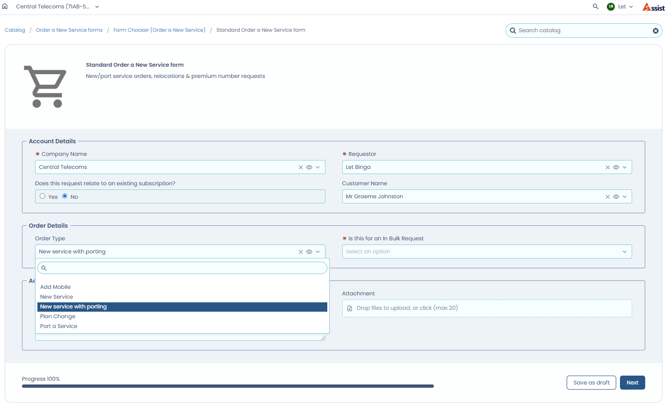
- Order Type: New Service with Porting
- Is this for an In Bulk Request:
- No - Only 1 or 2 Numbers
- Yes - 3 or more Numbers
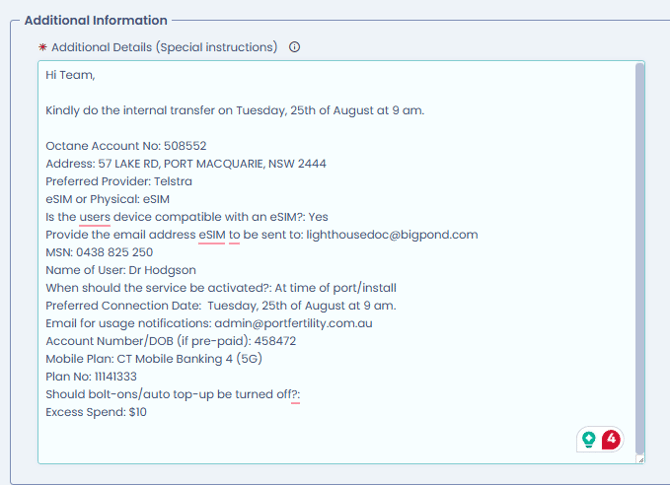
- For 'Additional Information', please follow this Template:
Hi Team,
Kindly do the internal transfer for [date and time]. This applies only to 1 or 2 mobile numbers.
Here are the details:
Octane Account No: [Central Telecoms account number]
Address:
eSIM or Physical:
Email address for eSIM to be sent to:
SIM card no:
MSN:
Name of User:
Account Number: [Octane Account number of the current provider]
Mobile Plan:
Plan No:
Should bolt-ons/auto top-up be turned off? Yes/No
Excess Spend: $10
3. Click 'Submit'.